Reading Japanese Machine Knitting Diagrams
The Japanese have been using knitting machines for many decades and have thousands of patterns for stylish knitwear, but their instructions can be daunting for non-Japanese speakers.
The good news is that most of the patterns rely on visual info and not written instructions, so an experienced machine knitter can parse them. But even better, new tools such as Google's Artificial Intelligence software make it easier for beginners as well.

We're going to use your smartphone to translate the above pattern. Go to the main Google search page, the one you probably use regularly. You will see a dark gray oval, with the word "Search" at left, and 2 icons for a microphone and a camera, at right.
Aim your smartphone at the Japanese knitting pattern page. Your screen should look like the image at lower left. Be careful to insure that all of the page is going to be captured by the camera, and then click on that Camera icon. (Remember, you are on the main Google Search page, and not the main page for your camera).
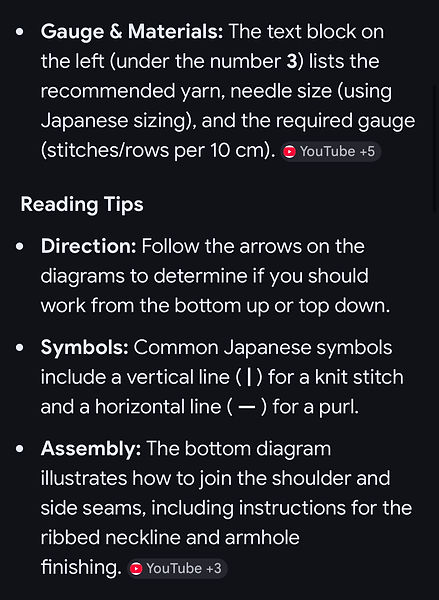
In seconds you will get a report telling you what the page is about, and providing basic information as to what those various diagrams and text passages mean. Here's what it says for this page:
Now look for a button labelled "AI Mode"and click it. Now you will start getting detailed information about the pattern. Here's what it says about our Japanese pattern:
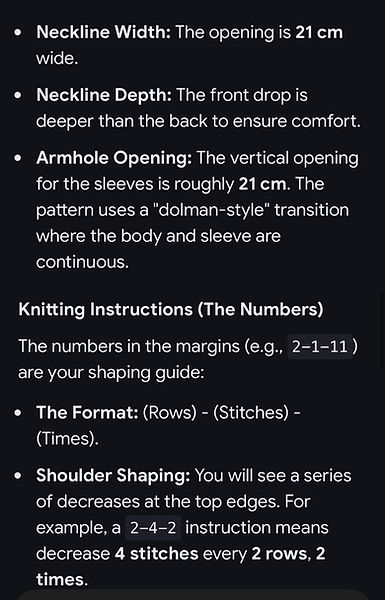
Now scroll down to the bottom. You should get a question from the AI, something like "Would you like me to explain the specific numbers in more detail?" In the box with the text "Ask Me Anything" type the word Yes and hit Return. You will now get more detail. Here's what it said about our page:
Again scroll down and you should see an offer of even more info, plus the opportunity to ask your own question. Do so if you need additional assistance.
When you are finished asking questions, scroll down again. This time you are looking for a speaker icon, at left, and an icon resembling a sheet of paper atop a second sheet of paper. Click on that paper icon. That will copy all of the info you've learned from the AI to your phone or computer's clipboard and you can then open an e-mail or a Notes file on your phone or a word processing program and paste the info there for future reference.
We hope you are beginning to realize how useful the new AI function can be. If there is anything you don't understand about the Japanese words, or the pattern, just ask. Notice that when it translates certain phrases, it also includes the Japanese characters so you can find where they are on the pattern.
We have not used the AI function enough times to determine how often it gets confused or produces inaccurate info. But compared to our previous efforts to use Google Translate, itself a huge help when it first appeared, or to learn what each specific Japanese character represented, this is an immense improvement.
And, as we noted at the outset, the best news is that Japanese patterns rely very much on the visual diagram, rather than a line-by-line text description, so after a few tries, you may not need the AI assistance.
Before the advent of Google Artificial Intelligence, English-language knitting magazines wrote a couple of articles offering advice on reading Japanese machine knitting patterns.
AAAA
BBBB